
In a scaling tech company, manual document creation is a critical bottleneck. Engineering, sales, and operations teams spend countless hours on proposals, statements of work (SOWs), and compliance reports, diverting focus from shipping code or closing deals. This isn't just inefficient; it's a direct drag on innovation and a primary source of operational friction. The solution lies in leveraging the best document automation software to reclaim that time and build scalable, error-free systems.
This guide moves beyond generic feature lists. We will dissect the top platforms designed for high-growth and enterprise environments, focusing on how AI-adopted engineering teams can integrate these tools to drive efficiency. We'll explore solutions that are ideal for everything from generating complex sales contracts populated with Salesforce data to creating technical specifications on the fly. A key aspect of this transition is understanding how to automate client intake workflow, allowing your technical teams to concentrate on core product development rather than administrative overhead.
This comprehensive resource provides a detailed analysis of each platform, complete with screenshots, direct links, and practical implementation advice. You will learn how to:
- Evaluate key features like template management, data capture, and API access.
- Compare native integrations with essential tools like Salesforce, Microsoft 365, and your existing CI/CD pipeline.
- Assess security protocols and options for self-hosting or private cloud deployment.
- Identify which solutions are best suited for specific use cases, from sales-led contract generation to engineering documentation.
Our goal is to help you find the right tool to eliminate manual document work for good.
1. DocuSign Gen for Salesforce
For organizations deeply embedded in the Salesforce ecosystem, DocuSign Gen for Salesforce is a powerhouse for document generation and eSignature workflows. It functions as a native add-on, allowing teams to create data-driven documents like quotes, contracts, and invoices directly within their Salesforce environment. This tight integration means users never have to leave the platform, pulling data from standard or custom objects to populate templates automatically.

What makes it one of the best document automation software options is its seamless handoff to DocuSign eSignature. A sales rep can generate a complex quote from a Salesforce Opportunity, send it for signature, and have the completed document automatically stored back in Salesforce without any manual intervention. This dramatically speeds up the sales cycle and reduces the risk of human error from copy-pasting data.
Key Features & Considerations
- Ideal Use Case: Sales, legal, and finance teams operating primarily within Salesforce Sales Cloud or Revenue Cloud (CPQ+, Billing).
- Implementation: The clicks-not-code template builder is intuitive for Salesforce admins, enabling rapid deployment. This aligns well with broader initiatives to automate business processes without extensive development resources.
- Pricing: Requires both a DocuSign Gen subscription and a separate DocuSign eSignature plan.
- Limitations: Its primary strength is also its main constraint; it is designed for Salesforce-centric workflows and lacks the flexibility of a standalone platform.
| Feature | Details |
|---|---|
| Template Builder | Clicks-not-code editor directly inside Salesforce. |
| Conditional Logic | Automatically include or exclude clauses based on Salesforce field data. |
| Batch Generation | Generate multiple documents at once (e.g., end-of-month invoices). |
| eSignature Integration | Native, one-click handoff to DocuSign eSignature for seamless signing. |
Visit DocuSign Gen for Salesforce
2. Conga Composer
Conga Composer is an enterprise-grade document generation platform, renowned for its deep and mature integration with Salesforce. It excels at creating complex, data-rich documents like proposals, contracts, and reports by pulling information from multiple Salesforce objects and external data sources. For organizations with intricate business logic, Conga provides the power to build highly sophisticated document workflows.
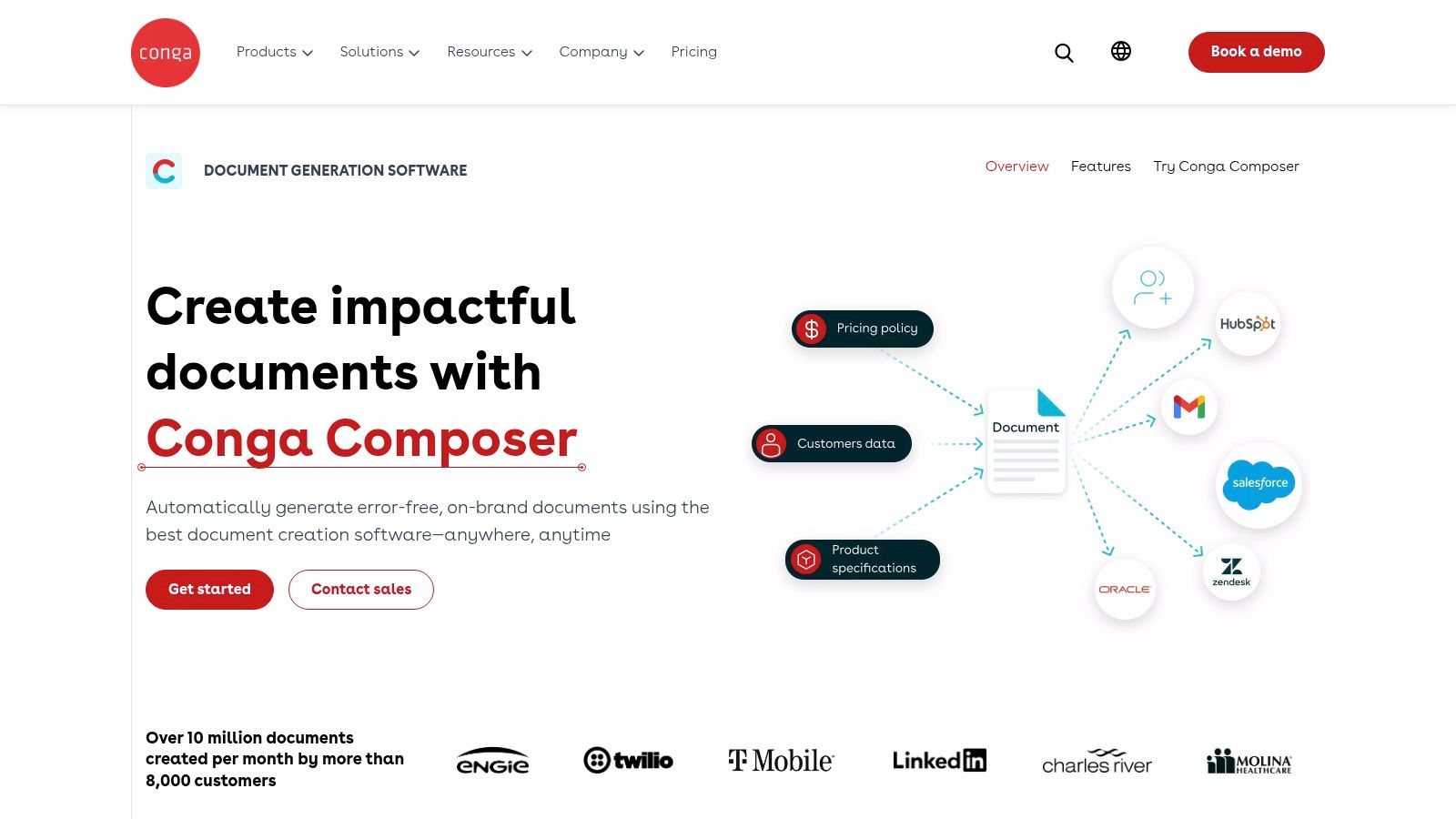
What solidifies its position as one of the best document automation software choices is its sheer flexibility and power. Beyond simple mail merges, it can handle complex conditional logic, dynamic tables, and rich-text formatting within templates. Administrators can automate the entire lifecycle, from generation triggered by a field update to automated delivery via email, eSignature, or cloud storage, making it a cornerstone for complex revenue operations.
Key Features & Considerations
- Ideal Use Case: Enterprise-level sales, legal, and operations teams with complex document requirements inside Salesforce, especially those needing to merge data from multiple custom objects.
- Implementation: While admin tools like Solution Manager and Quick Starts accelerate setup, the learning curve can be steep for advanced conditional logic and multi-source data merging.
- Pricing: Pricing is customized and often involves multiple components based on volume, add-ons (like Batch or Trigger), and user count, making it a significant investment.
- Limitations: The platform's extensive feature set can be overkill for simpler needs, and its power comes with a higher degree of complexity compared to more straightforward tools.
| Feature | Details |
|---|---|
| Template Builder | Utilizes Microsoft Word, Excel, or PowerPoint with special merge fields. |
| Conditional Logic | Robust capabilities to dynamically show, hide, or alter content. |
| Batch Generation | Add-on products (Conga Batch, Conga Trigger) enable mass and automated runs. |
| eSignature Integration | Seamlessly integrates with Conga Sign and other major eSignature providers. |
3. Formstack Documents (formerly WebMerge)
Formstack Documents is a versatile, no-code document generation platform that excels in connecting disparate applications and automating cross-departmental workflows. It allows users to merge data from hundreds of sources, including web forms and CRMs, into polished documents like contracts, certificates, and reports. Its strength lies in its modular approach; it can be used as a standalone tool or bundled with Formstack Forms and Sign for a complete end-to-end data collection, generation, and eSignature solution.
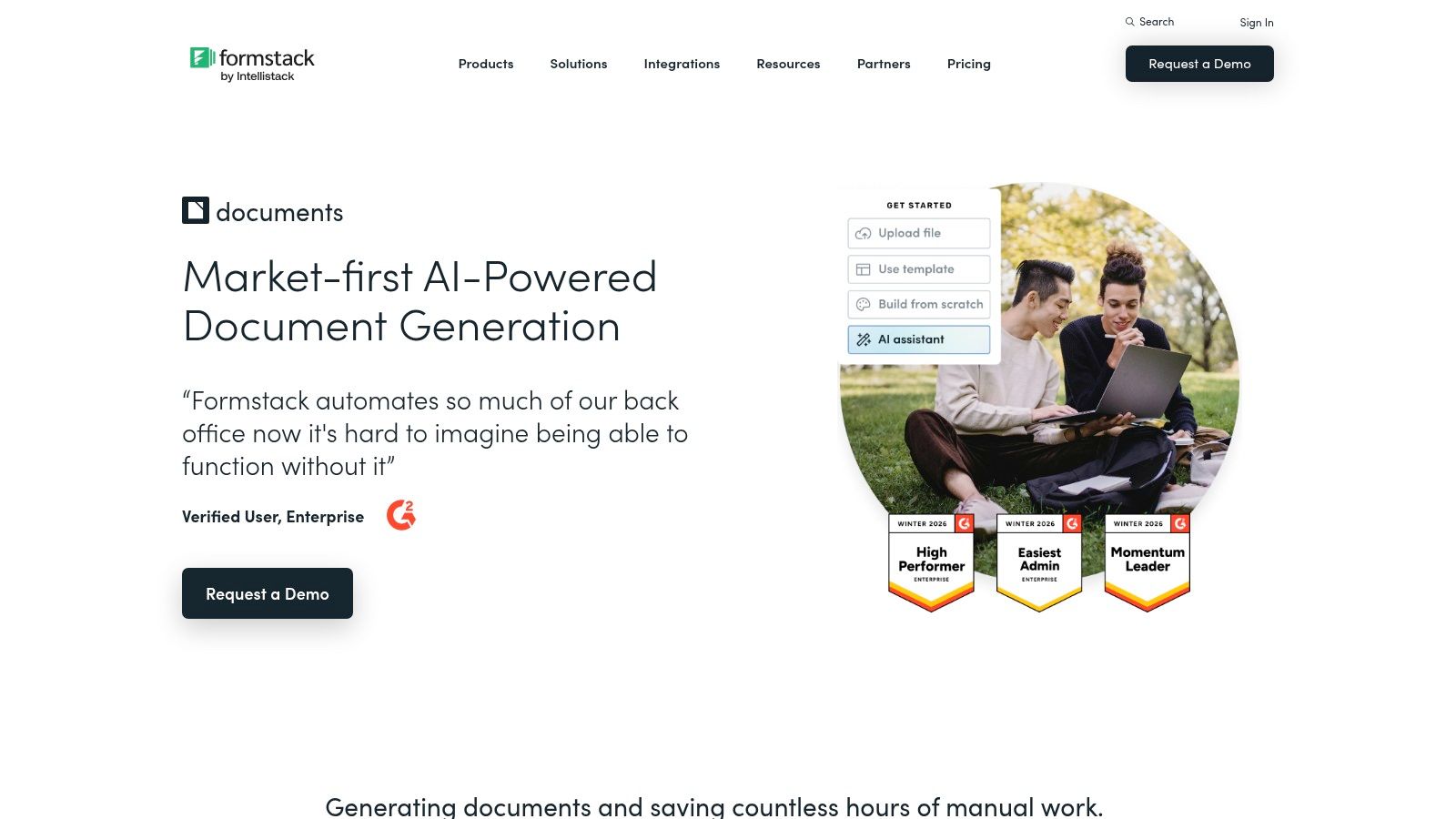
What makes Formstack one of the best document automation software choices is its accessibility and scalability. With clear, public pricing tiers, it serves everyone from small businesses automating their first process to large enterprises integrating document creation into complex systems via its REST API. This flexibility makes it a go-to for operations teams looking to streamline processes without heavy developer reliance, connecting the dots in a broader workflow automation strategy. It also supports teams adopting AI-powered tools by providing a reliable system to document outcomes from new AI-driven development and analysis processes.
Key Features & Considerations
- Ideal Use Case: Operations, HR, and marketing teams needing a flexible solution to generate documents from various data sources without being locked into a single ecosystem.
- Implementation: The user-friendly interface allows for quick template setup using Word or PDF documents. Advanced integrations and API usage may require technical expertise, which is where AI-augmented development teams can accelerate deployment.
- Pricing: Publicly available plans are based on the number of merges and templates per month. A bundled "Suite" option offers better value for those needing forms and eSignature.
- Limitations: The number of merges and templates is gated by the subscription tier, and access to the API and advanced features like data routing requires a higher-level plan.
| Feature | Details |
|---|---|
| Template Builder | Upload and map fields on existing PDF, Word, Excel, or PowerPoint files. |
| Conditional Logic | Use if/else logic within templates to show or hide content dynamically. |
| Data Routing | Automatically send generated documents to different people based on data. |
| eSignature Integration | Native integration with Formstack Sign and other third-party eSig tools. |
4. PandaDoc
PandaDoc is a versatile document automation platform celebrated for its user-friendly interface and focus on go-to-market teams. It excels at streamlining the creation, management, and eSignature of proposals, quotes, and contracts. Its drag-and-drop editor allows sales and marketing teams to quickly build visually appealing and on-brand documents, pulling from a centralized content library to ensure consistency and accuracy.
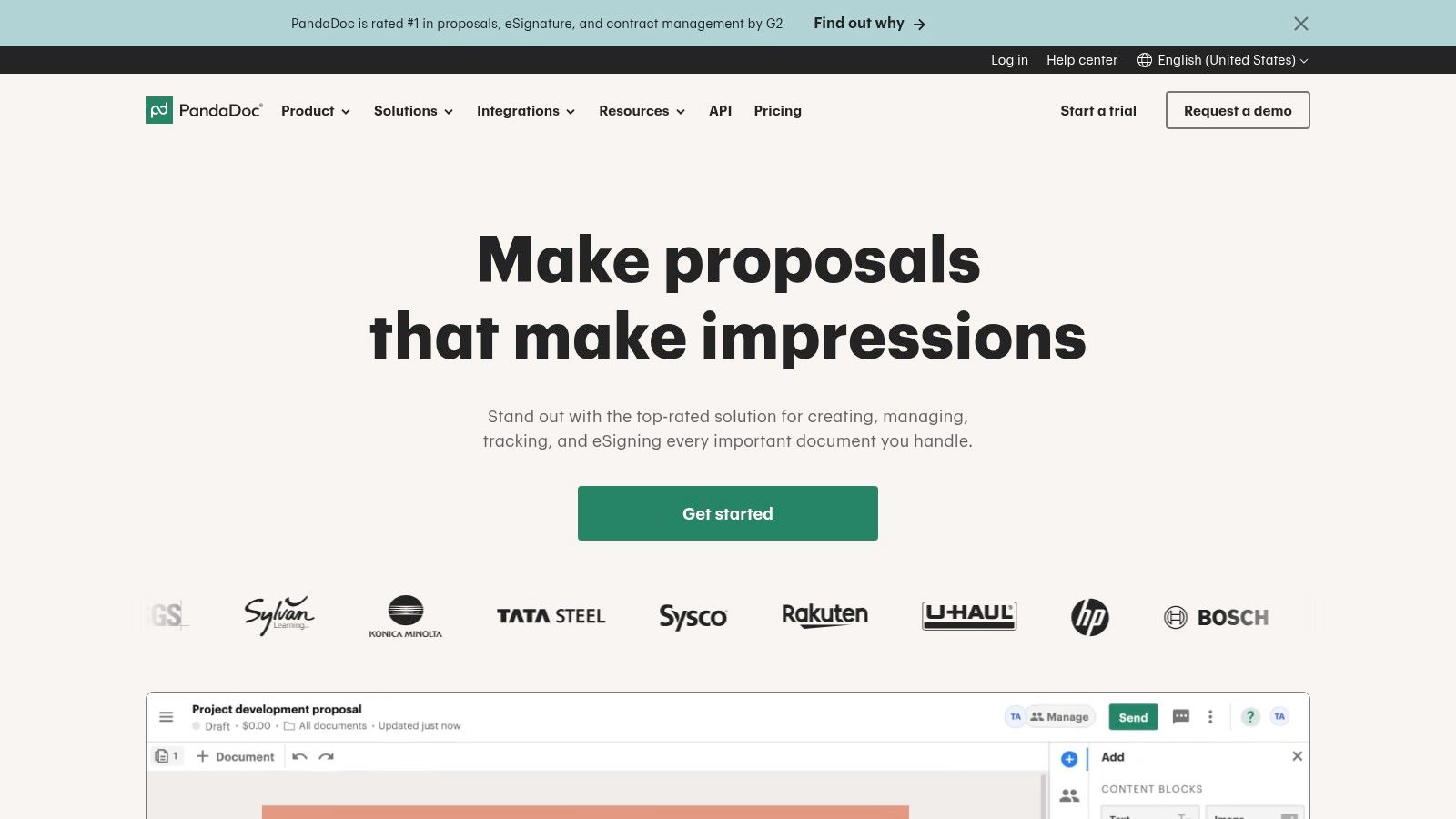
What establishes PandaDoc as one of the best document automation software options is its balance of powerful features and rapid implementation. Teams can get up and running quickly, integrating with their existing CRM to pull deal data directly into templates. The platform offers built-in workflow automation for approvals and provides real-time analytics on document engagement, giving sales reps insight into when a prospect opens, views, or comments on a proposal. This empowers faster, more informed follow-ups.
Key Features & Considerations
- Ideal Use Case: Sales, marketing, and customer success teams needing an all-in-one tool for creating, sending, and tracking client-facing documents.
- Implementation: The intuitive editor and pre-built templates allow for fast setup with minimal technical expertise. Its API plan also supports more complex, programmatic document generation for development teams standardizing their toolsets.
- Pricing: Offers multiple tiers, including a free eSign plan and paid plans with per-seat pricing that can become costly for large teams.
- Limitations: While its CRM integrations are robust, some advanced automation and data-syncing capabilities are locked behind higher-priced enterprise plans.
| Feature | Details |
|---|---|
| Template Builder | Intuitive drag-and-drop editor with a reusable content library. |
| Conditional Logic | "Smart Content" feature to show or hide blocks based on CRM data. |
| Workflow Automation | Create approval workflows, set signing orders, and send documents in bulk. |
| eSignature Integration | Native, legally binding eSignature is a core part of the platform. |
5. S-Docs (100% native Salesforce)
For organizations prioritizing data security, residency, and compliance within their Salesforce instance, S-Docs presents a compelling, 100% native solution. Unlike other tools that connect to Salesforce, S-Docs is built entirely on the platform, meaning your data never leaves the Salesforce cloud. This architecture eliminates external servers and API calls, providing enhanced security and performance for generating critical documents like contracts, proposals, and reports.
What makes S-Docs a standout in the best document automation software category is its commitment to the native Salesforce experience, which resonates strongly with security-conscious industries like finance, healthcare, and government. Its generous free edition, which includes unlimited templates and a significant document allowance, provides a risk-free entry point for teams to validate its capabilities before committing to an enterprise plan, making it an accessible yet powerful option.
Key Features & Considerations
- Ideal Use Case: Organizations in highly regulated industries or those with strict data residency policies that are fully committed to the Salesforce platform.
- Implementation: As a native AppExchange package, installation is straightforward for Salesforce admins. Template creation feels familiar to those accustomed to the Salesforce UI, allowing teams to become productive quickly.
- Pricing: Offers a powerful free tier with transparent public pricing for its Unlimited plan. Enterprise add-ons and specialized plans require a sales consultation.
- Limitations: The tool's greatest strength is its native design, which also confines its utility almost exclusively to the Salesforce environment.
| Feature | Details |
|---|---|
| Template Builder | Point-and-click template editor that operates entirely within Salesforce. |
| 100% Native | All data processing and document generation occurs on the Salesforce platform. |
| Batch & Automated Gen | Generate documents in bulk or trigger generation from Salesforce workflows. |
| eSignature | S-Sign, its e-signature component, is also 100% native to Salesforce. |
6. airSlate WorkFlow + Document Automation Hub
For developers, builders, and OEMs, airSlate offers a powerful and flexible ecosystem that goes beyond simple document generation. It provides an end-to-end workflow platform with developer-friendly APIs for DocGen, Forms, and Flows. This architecture is ideal for teams who want to embed sophisticated document automation capabilities directly into their own products or internal systems, rather than relying on a standalone application.
What makes airSlate one of the best document automation software choices for technical teams is its combined stack. You can programmatically generate documents from DOCX templates, capture data with its Forms API, orchestrate complex multi-step processes with the Flows API, and finalize everything with embedded eSignature or clickwrap agreements. This unified approach eliminates the need to integrate and manage multiple vendors for different parts of the workflow, simplifying the development lifecycle.
Key Features & Considerations
- Ideal Use Case: Tech companies, ISVs, and enterprise development teams building custom applications or embedding document generation, e-signature, and workflow automation into their own platforms.
- Implementation: Requires developer resources to leverage the APIs and SDKs. The platform is built for those comfortable with code, providing extensive documentation to support integration projects.
- Pricing: Utilizes a flexible, usage-based credit model. A free WorkFlow plan tier is available, allowing teams to start building and testing before committing to a paid plan.
- Limitations: The credit-based pricing can introduce complexity in forecasting costs. Realizing its full potential requires API and WorkFlow familiarity, making it less suitable for non-technical users.
| Feature | Details |
|---|---|
| Template Builder | Generate documents programmatically from DOCX templates using data tags and JSON. |
| Conditional Logic | Embed complex business rules directly within templates to show or hide content. |
| API-First Approach | Comprehensive APIs for DocGen, Forms, and Flows, supported by SDKs and documentation. |
| eSignature Integration | Native eSignature and Clickwrap APIs for creating legally binding, embedded agreements. |
Visit airSlate WorkFlow + Document Automation Hub
7. Experlogix Document Automation (Smart Flows)
Experlogix Document Automation, formerly known as Xpertdoc Smart Flows, is an enterprise-grade solution designed for organizations that require highly governed and scalable document generation. It excels in complex environments, particularly those built on Microsoft Dynamics 365, Salesforce, or SugarCRM, providing powerful tools to automate documents with intricate business logic and approval workflows.
What makes Experlogix one of the best document automation software options for regulated or large-scale operations is its visual "Smart Flows" builder. This no-code interface allows business users to map out entire document lifecycles, from data collection and conditional content assembly to multi-step approval routing and final delivery. This is ideal for managing master service agreements, complex proposals, or compliance documentation where audit trails and version control are non-negotiable.
Key Features & Considerations
- Ideal Use Case: Enterprise legal, finance, and operations teams within the Microsoft or Salesforce ecosystems needing robust control, versioning, and high-volume batch processing.
- Implementation: The visual flow builder simplifies the setup of complex logic, but its enterprise focus means a well-planned implementation is key to maximizing value. It's often adopted by teams looking to centralize document processes across multiple departments.
- Pricing: Pricing is not public and requires a consultation with their sales team, reflecting its enterprise positioning.
- Limitations: The platform's greatest strengths in governance and CRM integration mean it's less suited for smaller teams needing a simple, standalone tool. The best ROI is realized in Microsoft-centric technology stacks.
| Feature | Details |
|---|---|
| Template Builder | Add-ins for Microsoft Word allow for template design in a familiar environment. |
| Conditional Logic | Visual Smart Flows builder to map conditional steps, clauses, and approvals. |
| Batch Generation | Optimized for high-volume scenarios like generating thousands of statements or renewals. |
| Integrations | Deep integrations with Dynamics 365, Salesforce, SharePoint, and Power Automate. |
Visit Experlogix Document Automation
8. Windward by Apryse (Windward Core/Fluent)
Windward by Apryse offers a developer-first approach to document automation, functioning as a powerful engine and API for teams looking to embed high-performance document generation directly into their own applications. Instead of a standalone platform, Windward provides the core technology that allows engineers to build custom workflows. This makes it ideal for SaaS companies, financial institutions, or any organization that needs to produce complex, data-rich reports and documents at scale as part of their product offering.
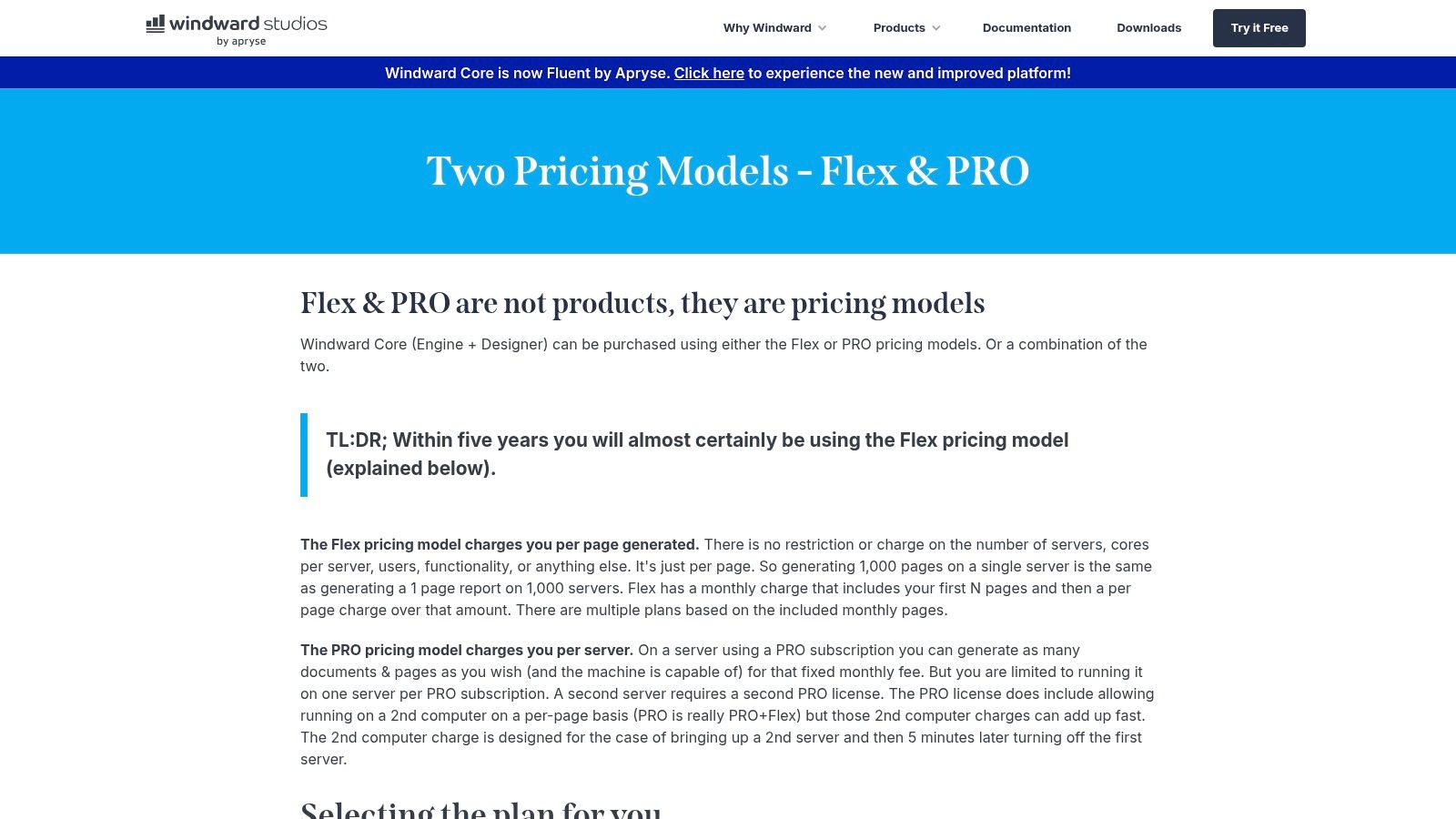
What makes it one of the best document automation software solutions for technical teams is its unique combination of power and usability. Business users can design intricate templates using familiar tools like Microsoft Word, Excel, and PowerPoint, while developers integrate the generation logic via the Windward API. This separation of design and logic empowers business teams to manage templates without needing engineering support, freeing up developer time to focus on core product features.
Key Features & Considerations
- Ideal Use Case: Engineering teams embedding document generation into custom software, products, or internal high-volume systems. Also suitable for organizations with complex data sources requiring flexible integration.
- Implementation: Requires developer resources for initial setup and integration with data sources. However, the use of Office-based template designers simplifies ongoing maintenance for non-technical users.
- Pricing: Offers flexible licensing, including a per-page model (Flex) for variable usage and a per-server model (Pro) for high-volume, predictable workloads. Pricing details require direct contact with their sales team.
- Limitations: This is not a no-code, out-of-the-box solution for business users. Its primary strength is its power as an embedded engine, making it less suitable for teams without access to development resources.
| Feature | Details |
|---|---|
| Template Builder | Business users design templates directly in Microsoft Office (Word, Excel, PowerPoint). |
| Licensing Models | Flexible options with per-page (Flex) and per-server (Pro) licensing to match usage. |
| Developer Control | Provides deep control via APIs for seamless integration into custom applications. |
| High-Scale Generation | Engineered for high performance, making it suitable for enterprise-level output. |
9. Mitratech HotDocs
Mitratech HotDocs is a long-standing, legal-grade document automation solution renowned for its ability to handle extremely complex templates and large document suites. It is a top choice for highly regulated industries like legal, banking, and government, where precision and compliance are non-negotiable. The platform excels at managing intricate branching logic, calculations, and multi-language requirements, making it ideal for creating sophisticated contracts, loan applications, and compliance reports.
What solidifies its position as one of the best document automation software platforms is its enterprise focus and deployment flexibility. HotDocs can be deployed on-premises or in the cloud, catering to organizations with strict data residency and security policies. While its powerful authoring tool has a steeper learning curve, it unlocks unparalleled control over document logic, a critical feature for minimizing risk in high-stakes environments.
Key Features & Considerations
- Ideal Use Case: Legal departments, large financial institutions, and government agencies that need to automate complex, rule-heavy document sets.
- Implementation: The sophisticated template authoring often requires specialized training or professional services. For development teams, understanding its API can enable powerful integrations, and its structured logic can be a good primer for teams considering AI adoption, especially those in AI team augmentation programs focused on rule-based systems.
- Pricing: Enterprise-focused and quote-based; pricing is not publicly available.
- Limitations: The authoring environment can be challenging for non-technical users, and it may be overkill for businesses with simpler document needs.
| Feature | Details |
|---|---|
| Template Builder | A powerful desktop authoring tool for building complex, logic-driven templates. |
| Conditional Logic | Advanced capabilities for nested and repeating logic, variables, and computations. |
| Deployment Options | Available as a cloud-based solution (HotDocs Advance) or on-premises server. |
| eSignature Integration | Integrates with leading e-signature providers like DocuSign and Adobe Sign. |
10. Templafy
For large organizations struggling with brand consistency and legal compliance across thousands of documents, Templafy offers a unique, governance-first approach. Instead of a separate platform, it embeds a centralized content and template library directly within Microsoft 365 and Google Workspace applications. This allows employees to build complex, on-brand, and legally compliant documents like proposals, reports, and presentations without ever leaving Word, PowerPoint, or Outlook.
What makes Templafy one of the best document automation software choices for enterprises is its focus on governing content at the point of creation. Using a combination of rules-based logic and AI, it dynamically assembles documents using pre-approved content blocks, disclaimers, and brand assets. This ensures every document generated across the company adheres to strict standards, dramatically reducing risk and protecting brand integrity at scale.
Key Features & Considerations
- Ideal Use Case: Brand, marketing, legal, and compliance teams in mid-market and enterprise organizations aiming to enforce content standards across the entire company.
- Implementation: Requires a planned administrative rollout and integration with existing document suites like Microsoft 365. It's an enterprise-grade solution, not a plug-and-play tool for small teams.
- Pricing: Custom enterprise pricing based on company size and feature requirements.
- Limitations: Its primary focus on governance and deep integration makes it less suited for small businesses or teams needing a simple, standalone document generation tool.
| Feature | Details |
|---|---|
| Centralized Content Library | Embeds approved templates, text blocks, and brand assets directly into user applications. |
| Dynamic Assembly | Uses rules and AI to help users build compliant documents from pre-approved modules. |
| Brand & Compliance Governance | Enforces brand guidelines, legal disclaimers, and data accuracy automatically. |
| Deep Office Integration | Works natively within Word, PowerPoint, Excel, and Outlook for high end-user adoption. |
11. Microsoft Syntex – Content Assembly
For organizations heavily invested in the Microsoft 365 ecosystem, Syntex – Content Assembly provides a native solution for document generation directly within SharePoint. It allows teams to create modern templates from existing documents and automatically populate them with data from SharePoint lists. This is ideal for generating standardized, repetitive documents like statements of work (SOWs), contracts, and service letters without leaving the familiar Microsoft environment.
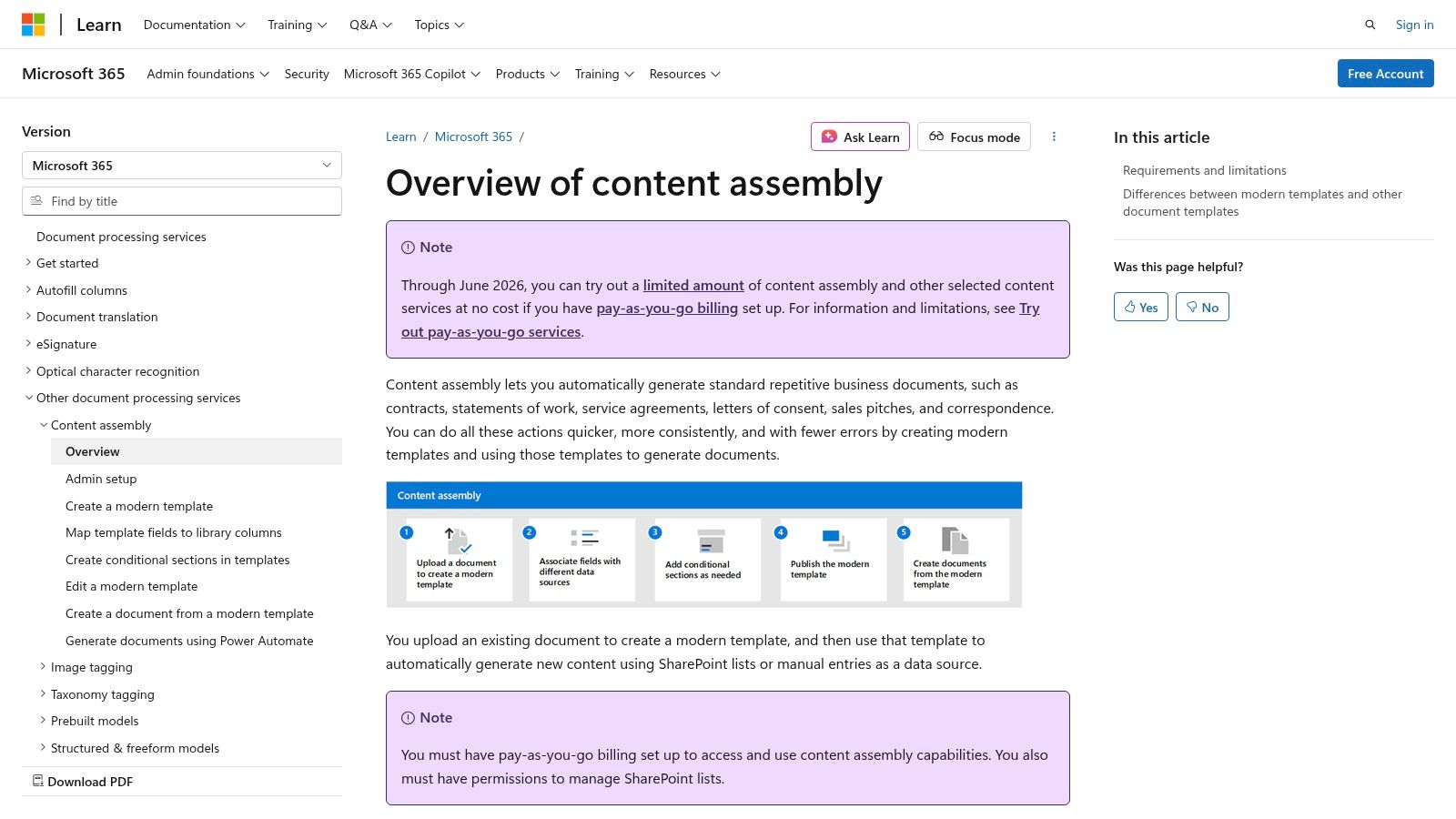
What makes Syntex one of the best document automation software choices for Microsoft-centric businesses is its pay-as-you-go pricing model and seamless integration. Instead of per-seat licenses, it leverages an Azure subscription for transactional billing, offering a cost-effective way to start. It acts as a core component within a broader strategy, where a single click in a SharePoint library can trigger a Power Automate flow to generate a document, route it for approval in Teams, and archive it, showcasing the power of integrated, intelligent process automation.
Key Features & Considerations
- Ideal Use Case: Operations, legal, and project management teams that use SharePoint as their central document repository and data source.
- Implementation: Requires admin-level setup within the Microsoft 365 tenant and a connection to an Azure subscription for billing. The template creation process is straightforward for users familiar with SharePoint. This approach supports a wider strategy around what intelligent process automation is and how to apply it within an existing tech stack.
- Pricing: Pay-as-you-go transactional model via Azure, requiring an appropriate Microsoft 365 license.
- Limitations: The tool is designed almost exclusively for SharePoint-based workflows and lacks the data source flexibility of standalone platforms.
| Feature | Details |
|---|---|
| Template Builder | Create "modern templates" from existing Word documents within SharePoint. |
| Data Integration | Populates documents using data from SharePoint list columns or manual input. |
| Pricing Model | Transactional pay-as-you-go billing is managed through an Azure subscription. |
| Workflow Integration | Natively integrates with Power Automate for complex, multi-step workflows. |
Visit Microsoft Syntex – Content Assembly
12. Salesforce AppExchange – Document Generation category
For businesses built on Salesforce, the AppExchange is the definitive starting point for finding the best document automation software. Rather than a single product, it’s a dedicated marketplace category hosting a wide range of native and integrated solutions. This allows organizations to compare, trial, and deploy tools like Conga Composer, S-Docs, and others directly within their Salesforce environment, ensuring compatibility and leveraging existing data.
The primary advantage of the AppExchange is its centralized governance and ease of evaluation. Each app undergoes a Salesforce security review, and user reviews provide real-world insights into performance and support. This model simplifies procurement by letting teams install trial versions directly into a sandbox, test workflows with actual data, and make an informed decision without a lengthy external vetting process.
Key Features & Considerations
- Ideal Use Case: Any organization using Salesforce that needs to find, compare, and deploy a document generation solution tailored to their specific objects, user skill level, and budget.
- Implementation: Varies by app, but the direct-install mechanism simplifies initial setup. Most vendors offer clicks-not-code builders, while some provide more advanced API access for complex needs.
- Pricing: Highly variable. Pricing models differ between vendors, often requiring direct contact for enterprise-level quotes. Many listings provide tiered pricing information and free trials.
- Limitations: The sheer number of options can be overwhelming. The quality, feature depth, and support levels vary significantly from one application to another, requiring thorough due diligence.
| Feature | Details |
|---|---|
| Centralized Marketplace | Discover and compare dozens of pre-vetted document generation apps. |
| User Reviews & Ratings | Access authentic feedback from other Salesforce customers. |
| Direct Installation | Install trials or full versions directly into a sandbox or production org. |
| Security Governance | Apps must pass the Salesforce Security Review, ensuring a baseline of trust. |
Visit Salesforce AppExchange – Document Generation category
Top 12 Document Automation Software Comparison
| Product | Core features | UX (★) | Pricing / Value (💰) | Target (👥) | USP (✨ / 🏆) |
|---|---|---|---|---|---|
| DocuSign Gen for Salesforce | Template assembly inside Salesforce, conditional content, batch runs, DocuSign handoff | ★★★★☆ | 💰 Requires DocuSign + Gen (moderate) | 👥 Sales/Revenue Cloud teams on Salesforce | ✨ Native Salesforce + seamless eSignature handoff |
| Conga Composer | Rich conditional templates, APIs, batch/trigger, delivery add-ons | ★★★★★ | 💰 Custom enterprise pricing | 👥 Complex enterprise Salesforce orgs | 🏆 Enterprise-grade depth & multiple deployment patterns |
| Formstack Documents | No-code merges to PDF/Word/Excel, API, bundled Forms/Sign | ★★★★☆ | 💰 Public tiers & bundled “Suite” | 👥 Ops & cross-department workflows | ✨ Clear public plans and end-to-end bundle |
| PandaDoc | Drag‑drop editor, content library, workflows, native eSign, API | ★★★★☆ | 💰 Per-seat + API plan (can scale cost) | 👥 GTM (sales/marketing) teams | ✨ Best editor UX and quick setup for GTM |
| S-Docs (100% native Salesforce) | Fully native generation/eSign, batch, Experience Cloud, free tier | ★★★★☆ | 💰 Public pricing + useful free edition | 👥 Security/compliance-focused Salesforce orgs | 🏆 True native Salesforce (data residency & performance) |
| airSlate WorkFlow + Doc Hub | DocGen from DOCX, Forms/Flows APIs, eSign, credit pricing | ★★★★☆ | 💰 Usage-based credit model | 👥 Builders, OEMs, developer teams | ✨ Combined workflow/forms/docgen/signing stack |
| Experlogix Smart Flows | Visual Smart Flows, batch high-volume, approval routing, governance | ★★★★☆ | 💰 Sales-led enterprise pricing | 👥 MSFT/Salesforce-heavy enterprises | ✨ Visual flow builder + strong governance |
| Windward by Apryse | Office-designed templates, engine/API, per-page & server licensing | ★★★★☆ | 💰 Flexible (per-page Flex / per-server Pro) | 👥 Engineering teams embedding doc gen | ✨ Deep developer control; Office-native templates |
| Mitratech HotDocs | Legal-grade template authoring, branching logic, cloud/on‑prem | ★★★★★ | 💰 Sales-led enterprise pricing | 👥 Legal & highly regulated industries | 🏆 Trusted for very complex legal documents |
| Templafy | Centralized templates in MS365, AI rules, governance & connectors | ★★★★☆ | 💰 Enterprise pricing | 👥 Mid-market & enterprise MS365 users | ✨ Brand/legal governance embedded in Word/PowerPoint |
| Microsoft Syntex – Content Assembly | Template assembly via SharePoint lists, Azure pay-as-you-go, tenant admin | ★★★★☆ | 💰 Pay-as-you-go via Azure transactions | 👥 SharePoint/Microsoft 365-centric orgs | ✨ Native MS365 integration with transactional pricing |
| Salesforce AppExchange – Doc Gen category | Marketplace listings, trials, direct installs, reviews | ★★★★☆ | 💰 Marketplace pricing varies by vendor | 👥 Salesforce admins evaluating doc-gen apps | ✨ Centralized place to trial & install Salesforce-native tools |
Beyond Software: Building Your AI-Powered Automation Engine
Selecting the right tool from our roundup of the best document automation software is a critical first step. You’ve seen how platforms like Conga Composer and DocuSign Gen excel within the Salesforce ecosystem, while solutions like PandaDoc and airSlate offer robust, standalone capabilities for sales and operations. We've explored native options like S-Docs, enterprise-grade powerhouses like Mitratech HotDocs, and developer-focused engines such as Windward. The key takeaway is that the "best" software is not a one-size-fits-all label; it's the platform that most precisely aligns with your existing tech stack, security requirements, and strategic growth objectives.
However, the true transformation lies beyond the software license. The ultimate goal is to architect a resilient, AI-powered operational engine that allows your business to scale without linearly scaling headcount or complexity. This initiative requires a holistic approach that combines best-in-class technology with expert implementation and a team empowered to innovate.
From Tool Adoption to Strategic Automation
For founders and CTOs, the journey from manual processes to intelligent workflows is a strategic imperative. Implementing a tool like Templafy or Microsoft Syntex solves an immediate problem, but building a sustainable competitive advantage requires a deeper integration of AI capabilities. This is where the focus shifts from simply using a tool to building a system.
Key considerations for this evolution include:
- Data Integration and Flow: Your chosen software must seamlessly connect with your core systems, whether it's a CRM, ERP, or custom database. The goal is to create an uninterrupted flow of data that triggers document creation, routing, and analysis without manual intervention.
- Advanced Data Extraction: As you mature, look beyond simple mail-merge functionality. As you consider building an AI-powered automation engine, understanding advanced concepts like intelligent document processing becomes crucial for extracting maximum value from your unstructured data. This allows you to pull insights from inbound contracts, invoices, and forms, turning static documents into active data sources.
- Workflow Intelligence: The most powerful systems don't just generate documents; they orchestrate complex, multi-step workflows. This involves conditional logic, parallel approval chains, and automated escalations that mirror and optimize your most critical business processes.
Empowering Your Team with AI Expertise
Successfully deploying and scaling these systems is not just an IT project; it's a fundamental shift in how your teams operate. For many scaling startups and enterprise firms, the primary bottleneck isn't technology, but the specialized talent required to leverage it effectively. This is why a modern automation strategy must include a plan for team enablement.
This can be achieved in several ways:
- AI Engineer Placements: For mission-critical projects, embedding a specialized AI engineer into your team can accelerate development and ensure best practices are followed from day one. This expert can lead the architecture of your automation engine, ensuring it's built for scale and security.
- AI Team Augmentation: Instead of a full-time hire, you can augment your existing engineering and operations teams with fractional AI experts. This model provides the guidance needed to navigate complex integrations and custom builds without the long-term overhead.
- Targeted AI Workshops: Empower your developers and operations leaders with hands-on training. Workshops focused on tools like Cursor for AI-assisted coding, Weavy.ai for collaborative features, or Claude for complex problem-solving can dramatically increase your team's productivity and innovation capacity. This ensures your team is not just equipped with new software, but truly enabled to drive continuous improvement.
Ultimately, choosing the best document automation software is the starting point. The real victory is in using that choice as a catalyst to build an intelligent, self-sufficient operational core that frees your most valuable resources—your people—to focus on high-impact, strategic work.
Ready to move beyond tool selection and build a true automation engine? At AY Automate, we specialize in designing and deploying the custom AI agents and intelligent workflows that transform your operations. We help you evaluate, implement, and integrate the best document automation software into a cohesive, scalable system. Contact us to learn how our AI workshops and engineer placement services can empower your team and accelerate your journey to production-grade automation.


