Book a Free Strategy Call
Skip the read: talk to Walid in 30 min.
Free strategy call. We map your AI engineering team, you keep the notes.
Open-source AI agents went from experiment to production reality in 2026. Search interest in agent frameworks spiked hard through the first half of the year (Google Trends shows "AI agent framework" searches roughly 10x-ing from mid-2025 to a June 2026 peak before cooling again), and the GitHub repositories powering them accumulated stars faster than most categories during that window. The question is no longer whether to adopt agentic AI but which open source AI agent framework to build on.
The wrong choice locks you into a paradigm your team will fight for months. The right one gives you orchestration primitives, tool-calling, memory, and deployment patterns that match how your actual workflows run. In this guide, we compare the twelve best open-source AI agent frameworks on GitHub right now, covering architecture, pricing, ideal use cases, and an honest take on each framework's limitations.
How we ranked them. In order of weight: fit for production agents (state, tool-calling, observability), how actively the repository ships releases, license terms for commercial use, and community size. Star counts, licenses and release dates below come from each project's GitHub repository, checked September 26, 2026. The four frameworks added in this update (OpenAI Agents SDK, Google ADK, Pydantic AI and Microsoft Agent Framework) are described from their repositories and docs, not from hands-on testing.
If your team builds primarily in Python, our dedicated best Python AI agent frameworks comparison covers the top Python-native libraries in depth, including production patterns, SDK compatibility, and which framework scales best for agentic Python codebases.
If you want a ready-to-run open source AI agent rather than a framework to build one yourself, our best open-source AI agents roundup compares deployable options like Buzz, goose, and OpenHands.
| Tool name | Key strength | Pricing | Platforms |
|---|---|---|---|
| OpenClaw | Self-hosted AI agent with 50+ native integrations, no external API calls | Free, open-source; cloud plan TBA | Self-hosted, Docker, Web |
| Agno | Ultra-fast, lightweight Python agent framework with built-in memory and multimodal tools | Free, open-source; Agno Platform from $99/month | Python, API, Cloud |
| CrewAI | Role-based multi-agent orchestration with built-in collaboration primitives | Free, open-source; Enterprise plan available | Python, API, Cloud |
| LangGraph | Stateful graph-based agent workflows with checkpointing and human-in-the-loop | Free, open-source; LangSmith from $39/month | Python, JavaScript, Cloud |
| OpenAI Agents SDK | Small set of primitives (agents, handoffs, guardrails) with built-in tracing | Free, open-source (MIT); you pay your model provider | Python, JavaScript/TypeScript |
| Google ADK | Code-first agents with a graph workflow runtime and Cloud Run or Vertex AI deploys | Free, open-source (Apache 2.0); Google Cloud hosting billed separately | Python, Java, Kotlin, Go, TypeScript |
| Pydantic AI | Typed agent loop with validated outputs and a one-string model swap | Free, open-source (MIT) | Python |
| Microsoft Agent Framework | AutoGen's successor: graph workflows with checkpointing in Python and .NET | Free, open-source (MIT); Azure and Foundry usage billed separately | Python, .NET, Go |
| Dify | Self-hostable LLM app platform with visual workflow builder and RAG | Free, open-source; Cloud from $59/month | Self-hosted, Docker, Cloud, API |
| RAGFlow | Deep-document RAG engine with agentic retrieval and grounded citations | Free, open-source; Enterprise pricing on request | Self-hosted, Docker, API |
| Langflow | Visual drag-and-drop agent builder compiled to LangChain Python | Free, open-source; DataStax Cloud from $0.15/credit | Web, Self-hosted, API |
| AutoGen | Conversational multi-agent framework, now in maintenance mode | Free, open-source; Azure compute costs apply | Python, .NET, Azure |
GitHub stars by framework
Source: each project's GitHub repository, checked 2026-09-26. Stars measure attention, not production fit.
Best open-source AI agent frameworks: a brief overview
- OpenClaw: Best for self-hosted agents with broad integration coverage: a viral, privacy-first agent that connects 50+ apps without calling any external API.
- Agno: Best for lightweight, high-performance agents in production: a minimal Python framework that runs agents in under 2 microseconds with built-in memory, storage, and multimodal tool support.
- CrewAI: Best for multi-agent role-based orchestration: define agents as team members with distinct roles, goals, and tools, then let them collaborate on complex tasks.
- LangGraph: Best for stateful, graph-based agent workflows: build agents that can loop, branch, and pause at checkpoints without losing state between steps.
- OpenAI Agents SDK: Best for the shortest path to traced, guarded agents: a few primitives (agents, tools, handoffs, guardrails) with tracing built in.
- Google ADK: Best for teams deploying on Google Cloud: a code-first toolkit with a graph workflow runtime and deploy targets on Cloud Run and Vertex AI Agent Engine.
- Pydantic AI: Best for typed Python agents: every run can return a validated, typed output, and swapping models is a one-string change.
- Microsoft Agent Framework: Best for enterprise teams on Microsoft infrastructure: AutoGen's successor, with graph workflows, checkpointing and OpenTelemetry in Python and .NET.
- Dify: Best for teams wanting a self-hostable LLM app platform: combines a visual workflow builder, RAG pipeline, and API layer into a single deployable service.
- RAGFlow: Best for document-heavy enterprise knowledge bases: a RAG engine with agentic retrieval, citation grounding, and support for messy real-world documents.
- Langflow: Best for no-code agent prototyping: a drag-and-drop visual builder on top of LangChain that compiles to production-ready Python.
- AutoGen: Best for teams maintaining existing AutoGen projects: the framework is now in maintenance mode, and Microsoft points new builds to Microsoft Agent Framework.
1. OpenClaw, best for self-hosted agents with broad integration coverage
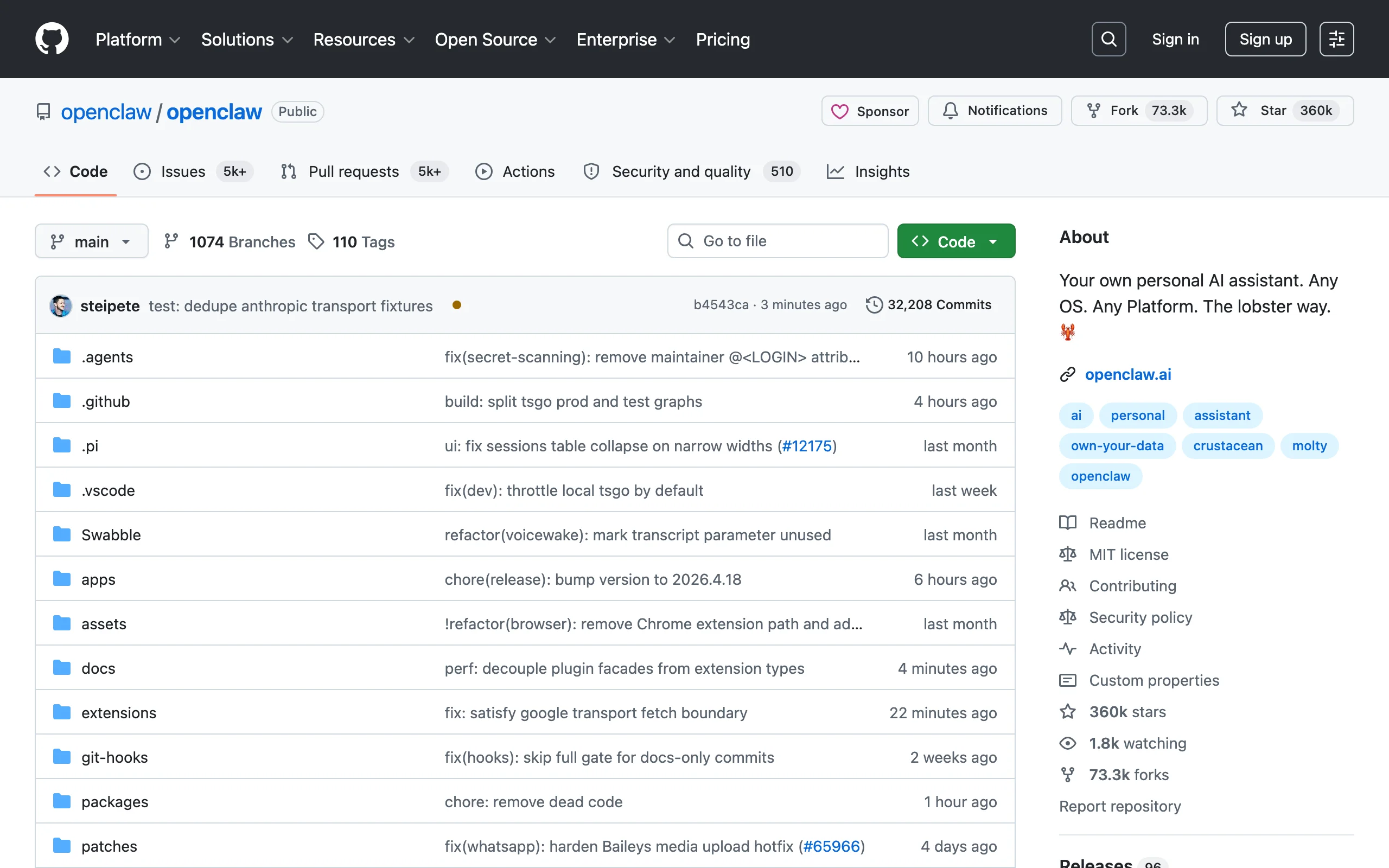
OpenClaw is the breakout project of 2026. It grew from roughly 9,000 stars to over 382,000 GitHub stars by mid-2026, earned a public endorsement from Sam Altman when the creator joined OpenAI, and landed a Fortune feature within months of launch. The core premise is simple: an agentic AI assistant that runs entirely on your infrastructure and connects natively to over 50 tools including WhatsApp, Telegram, Slack, Discord, and most common business apps, without routing any data through external APIs.
For teams with data privacy requirements or those tired of paying token surcharges on cloud orchestration platforms, OpenClaw represents a credible alternative. Its integration library is pre-built rather than requiring custom glue code, which dramatically reduces the time from setup to first working agent.
Disclosure: AY Automate offers enterprise setup and support services for OpenClaw at /services/openclaw-nemoclaw-enterprise-setup.
Key features
- 50+ pre-built native integrations (messaging apps, CRMs, productivity tools)
- Fully self-hosted: all data stays on your infrastructure
- Compatible with local LLMs via Ollama and OpenAI-compatible APIs
- Docker-first deployment with one-command setup
- Active foundation governance after creator joined OpenAI
Best for
- Teams in regulated industries (legal, finance, healthcare) where data residency matters
- Developers who want ChatGPT-style UX over locally-run models like Llama or Mistral
- Startups replacing expensive API-dependent stacks with a self-hosted alternative
Pricing
- Free and open-source under MIT license
- Self-hosted: no usage fees, only your infrastructure costs
- Cloud-hosted plan in development; pricing not yet announced
Pros
- Integrations work out of the box rather than requiring connector code for each app
- Self-hosting eliminates per-token costs for high-volume use cases
- Community momentum means fast issue resolution and new connectors added weekly
Cons
- Cloud-managed option is not yet available, so teams without DevOps capacity need to manage their own deployment
- Still early: some integrations are community-maintained with varying quality
- No built-in agent memory store beyond conversation history; long-running task persistence requires custom work
2. Agno, best for lightweight high-performance agents in production
Agno (formerly Phidata) is built around a single engineering principle: agents should be fast, small, and composable. Where most frameworks accumulate abstractions, Agno strips them away. The result is an agent runtime that initializes in under 2 microseconds and uses roughly 3.75 KB of memory per agent instance, numbers that matter when you are running thousands of concurrent agents in production rather than a single prototype.
The framework ships with first-class support for memory (short-term, long-term via vector stores), structured tool definitions, multimodal inputs (text, images, audio, video), and a reasoning layer that lets agents think step-by-step before acting. Agno also supports multi-agent teams through a Coordinator pattern, making it a viable choice for complex orchestration without requiring a separate framework. Teams building production-grade AI agent development pipelines at scale often reach for Agno after hitting performance ceilings in heavier frameworks.
Key features
- Sub-2-microsecond agent initialization with minimal memory footprint
- Built-in memory layer: session memory, user memory, and long-term vector store support
- Multimodal tool support out of the box (text, images, audio, video)
- Multi-agent teams via Coordinator pattern with shared context
- Agno Platform: hosted observability, session replay, and deployment management
Best for
- Engineering teams building agents that run at high concurrency where per-agent overhead compounds
- Developers who want a typed, Pythonic API without heavyweight framework abstractions
- Teams that need multimodal agent capabilities without stitching together separate libraries
Pricing
- Free and open-source under the Apache 2.0 license (per the GitHub repository, checked September 26, 2026)
- Agno Platform (hosted monitoring and deployment): from $99/month
- Enterprise: custom pricing with dedicated support
Pros
- Benchmark-leading initialization speed makes it practical for high-throughput production workloads
- Typed tool definitions reduce runtime errors and make agent capabilities inspectable
- Built-in observability via Agno Platform means you do not need to wire up a separate tracing stack
Cons
- Smaller community than CrewAI or LangGraph; fewer pre-built templates and third-party integrations
- The Coordinator multi-agent pattern is less expressive than LangGraph's graph model for complex branching workflows
- Agno Platform is proprietary; teams that want fully open-source observability need to integrate LangSmith or a custom solution
3. CrewAI, best for multi-agent role-based orchestration
CrewAI frames agent development around the metaphor of a workforce: you define agents with specific roles (Researcher, Writer, Analyst), assign them tools, and let them collaborate to complete a task. This role-based model maps naturally to how business processes actually work and makes it easier for non-ML engineers to reason about what the system is doing. Our AI agents for business guide covers real-world use cases, cost, and how to pick the right pattern for your team.
It ships with built-in task delegation, output passing between agents, and a process manager that handles sequential or hierarchical execution. The result is that you can prototype a three-agent research-and-summarize pipeline in under 50 lines of Python, and then extend it with custom tools, memory backends, and evaluation hooks as the workflow matures. CrewAI is one of the top choices for teams building AI agent development pipelines for sales, research, and content operations.
Key features
- Role-based agent definition with goals, backstory, and tool assignment
- Sequential and hierarchical process modes
- Native support for tool-calling with LangChain tools, custom functions, or web search
- Built-in memory: short-term, long-term, entity memory, and contextual storage
- CrewAI Flows for event-driven agentic pipelines
Best for
- Operations and RevOps teams automating multi-step research, outreach, or report generation
- Developers who want a readable, role-based abstraction rather than low-level graph construction
- Teams evaluating custom workflow automation before committing to a full build
Pricing
- Free and open-source under MIT license
- CrewAI Enterprise: custom pricing for compliance, dedicated support, and cloud deployment
Pros
- Role metaphor makes agent behavior easy to explain to non-technical stakeholders
- Built-in memory backends (including vector store support) reduce boilerplate for stateful agents
- Large ecosystem of pre-built crew templates for common use cases
Cons
- Hierarchical process mode can produce unpredictable delegation chains without careful role definition
- Less suited to agents that require complex branching logic or loops; LangGraph is stronger there
- Debugging multi-agent runs requires LangSmith or custom logging setup
4. LangGraph, best for stateful graph-based agent workflows
LangGraph is the answer to a real engineering problem: most agent frameworks run agents as linear chains, but real workflows branch, loop, wait for human input, and recover from errors. LangGraph models your agent as a directed graph where each node is a function and edges are conditional transitions. This gives you precise control over execution flow without writing custom orchestration logic from scratch. See our LangChain vs LangGraph comparison for when to reach for the graph model instead of a simple chain.
Checkpointing is the standout feature. LangGraph can pause an agent mid-run, persist its state to a database, and resume it later, including after the process restarts. This makes it the right foundation for long-running, human-in-the-loop workflows where an agent needs approval before taking an irreversible action. It pairs naturally with a RAG pipeline architecture when agents need to retrieve and synthesize documents as part of a larger workflow.
Key features
- Graph-based execution model with conditional edges and loops
- Persistent state checkpointing with support for PostgreSQL, Redis, and SQLite backends
- Human-in-the-loop interrupts: pause the agent, get approval, then continue
- Streaming support for partial outputs and real-time progress
- First-class multi-agent subgraph composition
Best for
- Engineering teams building agents that need fine-grained control over branching and error recovery
- Use cases with compliance requirements where human approval must gate specific actions
- Teams already using LangChain who want to graduate from simple chains to stateful graphs
Pricing
- Free and open-source under MIT license
- LangSmith (optional observability platform): from $39/month per seat; free tier available
Pros
- Checkpointing solves the hardest problem in production agents: resuming after failure without starting over
- The graph model makes complex workflows visually inspectable and debuggable
- LangSmith integration provides production-grade tracing with minimal setup
Cons
- Higher learning curve than CrewAI: you need to understand graph primitives before you can write your first agent
- Verbose API: simple agents require more boilerplate than in higher-level frameworks
- Primarily Python; JavaScript support is available but less mature
5. OpenAI Agents SDK, best for traced, guarded agents with few primitives
The OpenAI Agents SDK is OpenAI's own open-source framework for multi-agent workflows, and it keeps the concept count low. An agent is an LLM configured with instructions, tools, guardrails and handoffs, and a Runner executes it. Despite the name, the README calls it provider-agnostic: it supports the OpenAI Responses and Chat Completions APIs plus 100+ other LLMs. A JavaScript and TypeScript version lives in a separate repository.
Most of the production plumbing ships in the box. Every run is traced, input and output guardrails validate what goes in and out, sessions manage conversation history across runs, and sandbox agents work inside a container on long tasks. Realtime and voice agents use the same primitives. If you want those traces inside a wider monitoring stack, our AI agent observability tools roundup covers the options, and our guide on how to sandbox AI agents safely explains why container isolation matters for agents that run code.
GitHub snapshot, checked September 26, 2026: 29,709 stars, MIT license, latest release v0.22.3 on September 17, 2026. Source: github.com/openai/openai-agents-python.
Key features
- Agents defined by instructions, tools, guardrails and handoffs
- Agents as tools and handoffs for delegating work between agents
- Built-in tracing of agent runs for debugging and optimization
- Sessions for automatic conversation history, with an optional Redis backend
- Sandbox agents, realtime agents and voice pipelines
Best for
- Teams that want working multi-agent delegation without learning a graph model first
- Builders of voice and realtime agents who want the same primitives as their text agents
- Engineers who want tracing and guardrails on day one instead of wiring them in later
Pricing
- Free and open-source under MIT license
- You pay only for model usage with whichever provider you connect
Pros
- Small API: a basic agent is a few lines with Agent and Runner
- Guardrails, sessions and tracing are part of the core package
- Maintained by OpenAI with frequent releases
Cons
- Still on 0.x version numbers, so plan for API changes between releases and pin your version
- Handoffs are less explicit than a graph when you need to see and control every branch; LangGraph is stronger there
- Hosted tools and the smoothest defaults point at OpenAI models; other providers take extra configuration
Not a fit if you build in .NET, or you need durable, checkpointed workflows where every step and branch is declared up front.
6. Google ADK, best for teams deploying agents on Google Cloud
Google's Agent Development Kit (ADK) is a code-first Python toolkit for building, evaluating and deploying agents. Version 2.0 adds a graph-based workflow runtime with routing, fan-out and fan-in, loops, retries, state management and human-in-the-loop steps, plus a Task API for structured agent-to-agent delegation. The README says it is optimized for Gemini but model-agnostic and deployment-agnostic. Separate SDKs cover Java, Kotlin, Go and TypeScript.
The deploy path is the main draw for Google Cloud shops: containerize an agent for Cloud Run or scale it on Vertex AI Agent Engine. Tools can be pre-built, custom functions, OpenAPI specs or MCP servers, and a tool confirmation flow can require explicit human approval before a tool runs. If MCP is new to your team, our MCP protocol explainer covers how agents connect to tools that way. The README puts the release cadence at roughly every two weeks.
GitHub snapshot, checked September 26, 2026: 21,650 stars, Apache 2.0 license, latest release v2.10.0 on September 25, 2026. Source: github.com/google/adk-python.
Key features
- Graph-based workflow runtime with loops, retries, fan-out and nested workflows
- Task API for multi-turn and single-turn delegation between agents
- Tool support for custom functions, OpenAPI specs and MCP tools
- Tool confirmation flow for human approval before execution
- Agent Config for defining agents without code
Best for
- Teams already on Google Cloud who want Cloud Run or Vertex AI Agent Engine as the deploy target
- Projects built around Gemini models that may add other providers later
- Organizations that need the same agent concepts across Python, Java, Go and TypeScript
Pricing
- Free and open-source under Apache 2.0
- Hosting on Cloud Run or Vertex AI Agent Engine and model usage are billed by the provider
Pros
- Deterministic workflow graphs and free-form agents live in one framework
- Evaluation is part of the stated scope, not a separate add-on
- Frequent releases, with the latest one the day before our check
Cons
- Gemini and Google Cloud get the smoothest path; other models and clouds take more setup
- Version 2.0 introduced a new workflow runtime, so tutorials written for 1.x may not match current APIs
- Each language SDK lives in its own repository with its own release schedule
Not a fit if your team is committed to Azure or AWS hosting and does not want Google Cloud deploy targets shaping the architecture.
7. Pydantic AI, best for typed Python agents with validated outputs
Pydantic AI comes from the team behind Pydantic, the Python validation library. It is a typed agent loop: give the agent an output type and tools, and every run comes back validated and typed. Changing models is a one-string swap. The same agent can run behind a web frontend, in a terminal, on a voice call, on a durable background queue or inside GitHub Actions.
Extra pieces come as separate packages. Pydantic Graph handles typed control flow, Pydantic Evals tests agent behavior the way pytest tests code, and Pydantic AI Harness adds memory, guardrails, sub-agents, planning, context management and persistence as capabilities you attach to an agent. Instrumentation is plain OpenTelemetry, so any tracing backend you already run works. For teams setting up tests for agents, our AI agent evals guide walks through the approach.
GitHub snapshot, checked September 26, 2026: 20,193 stars, MIT license, latest release v2.51.0 on September 25, 2026. Source: github.com/pydantic/pydantic-ai.
Key features
- Typed, validated agent outputs defined with Pydantic models
- Model switching by changing one string
- Pydantic Graph for typed control flow and Pydantic Evals for agent tests
- Harness capabilities for memory, sub-agents, planning and persistence
- OpenTelemetry instrumentation that works with any backend
Best for
- Python teams that already use Pydantic and FastAPI-style typed code
- Data extraction and classification agents where malformed output breaks downstream systems
- Teams that want agent tests to run like the rest of their test suite
Pricing
- Free and open-source under MIT license
- Pydantic Logfire (observability) and the Pydantic AI Gateway are separate Pydantic products; the gateway can be self-hosted, and you can skip both
Pros
- Validation errors surface at the agent boundary instead of three systems later
- Evals and graph control flow come from the same team and share its typing conventions
- Very active release cadence
Cons
- Python only; TypeScript teams need a different framework
- Multi-agent features live in add-on packages, so there is more to learn than the core agent class
- Fast release pace means pinning versions and reading changelogs is part of the job
Not a fit if you want a visual builder, or your team writes TypeScript or .NET.
8. Microsoft Agent Framework, best for enterprise teams on Microsoft infrastructure
Microsoft Agent Framework (MAF) is the successor to AutoGen. The AutoGen README now sends new users here and calls MAF the enterprise-ready successor. It is an open, multi-language framework for production agents and multi-agent workflows in Python and .NET, with a Go SDK in a separate repository. Supported providers include Microsoft Foundry, Azure OpenAI, OpenAI and the GitHub Copilot SDK.
Workflows are graphs that support sequential, concurrent, handoff and group collaboration patterns, with checkpointing, streaming, human-in-the-loop and time-travel. OpenTelemetry tracing, a middleware system, YAML-defined declarative agents and a developer UI for testing come with it, and agents can be hosted on Foundry. Our best multi-agent frameworks comparison goes deeper on orchestration patterns like these.
GitHub snapshot, checked September 26, 2026: 13,813 stars, MIT license, latest releases python-1.19.0 and dotnet-1.22.0, both on September 18, 2026. Source: github.com/microsoft/agent-framework.
Key features
- Python and .NET with consistent APIs, plus a separate Go SDK
- Graph workflows with checkpointing, streaming, human-in-the-loop and time-travel
- Built-in OpenTelemetry tracing and a middleware pipeline
- Declarative agents defined in YAML
- DevUI for interactive testing and Foundry hosted agents for deployment
Best for
- Enterprises standardized on Azure, Azure OpenAI or Microsoft Foundry
- Mixed Python and .NET teams that want one set of agent concepts
- Existing AutoGen users planning a migration
Pricing
- Free and open-source under MIT license
- Foundry hosting and Azure model usage are billed through your Microsoft account
Pros
- Durable workflows with checkpointing are built in, not bolted on
- First-class .NET support, which few agent frameworks offer
- Weekly-scale release activity across the Python and .NET packages
Cons
- Smallest star count on this list, so fewer community tutorials and third-party examples
- Foundry and Azure features get the most attention in the docs
- Moving from AutoGen means rewriting code against new APIs, even with the migration guide
Not a fit if you are outside the Microsoft ecosystem and want the fewest dependencies, or you build only in TypeScript.
9. Dify, best for self-hostable LLM application platforms
Dify sits at a different point in the spectrum than pure orchestration frameworks: it is a full LLM application platform that combines a visual workflow builder, a RAG pipeline, a model routing layer, and a REST API in a single deployable package. You can build a production chatbot with document retrieval, a multi-step automation workflow, or a text transformation API all within the same tool.
The self-hosted version runs on Docker Compose and supports every major model provider including OpenAI, Anthropic, Google, Mistral, and local Ollama models. For startups and mid-market companies that want the features of a cloud AI platform without the vendor lock-in or per-token premium, Dify is one of the most cost-effective paths to a working AI application. Its visual workflow editor makes it approachable for teams exploring custom n8n automation patterns who want to extend into AI-native workflows, and our n8n vs Dify comparison breaks down exactly where the two diverge.
Key features
- Visual workflow builder with 40+ built-in nodes (LLM, retrieval, code, HTTP request, etc.)
- Built-in RAG pipeline with chunking, embedding, and retrieval configuration
- Multi-model routing: run different models for different tasks within a single workflow
- REST API and webhook output for every application
- Agent mode with tool-calling and iterative reasoning
Best for
- Startups building AI-powered SaaS features that need a full platform, not just an orchestration library
- Operations teams who want a visual builder rather than writing Python for every workflow
- Companies evaluating SaaS MVP development who need a rapid AI backend without building from scratch
Pricing
- Free to self-host under a modified Apache 2.0 license: per the LICENSE file, running a multi-tenant service or removing Dify branding from the frontend needs a commercial license
- Dify Cloud: free tier with 200 message credits/month; paid plans from $59/month
- Enterprise: custom pricing with SSO, private deployment support, and SLA
Pros
- Platform-in-a-box: most teams do not need additional tools to go from prototype to production
- RAG pipeline is configurable at the chunking and retrieval level without writing indexing code
- Plugin ecosystem growing rapidly, with 100+ connectors added in 2025
Cons
- Visual builder adds abstraction that makes debugging complex workflows slower than reading code
- Self-hosted setup requires Docker and a PostgreSQL database; not trivial for teams without DevOps
- Less suited to highly custom agent logic that does not fit the visual node model
10. RAGFlow, best for enterprise document-heavy knowledge bases
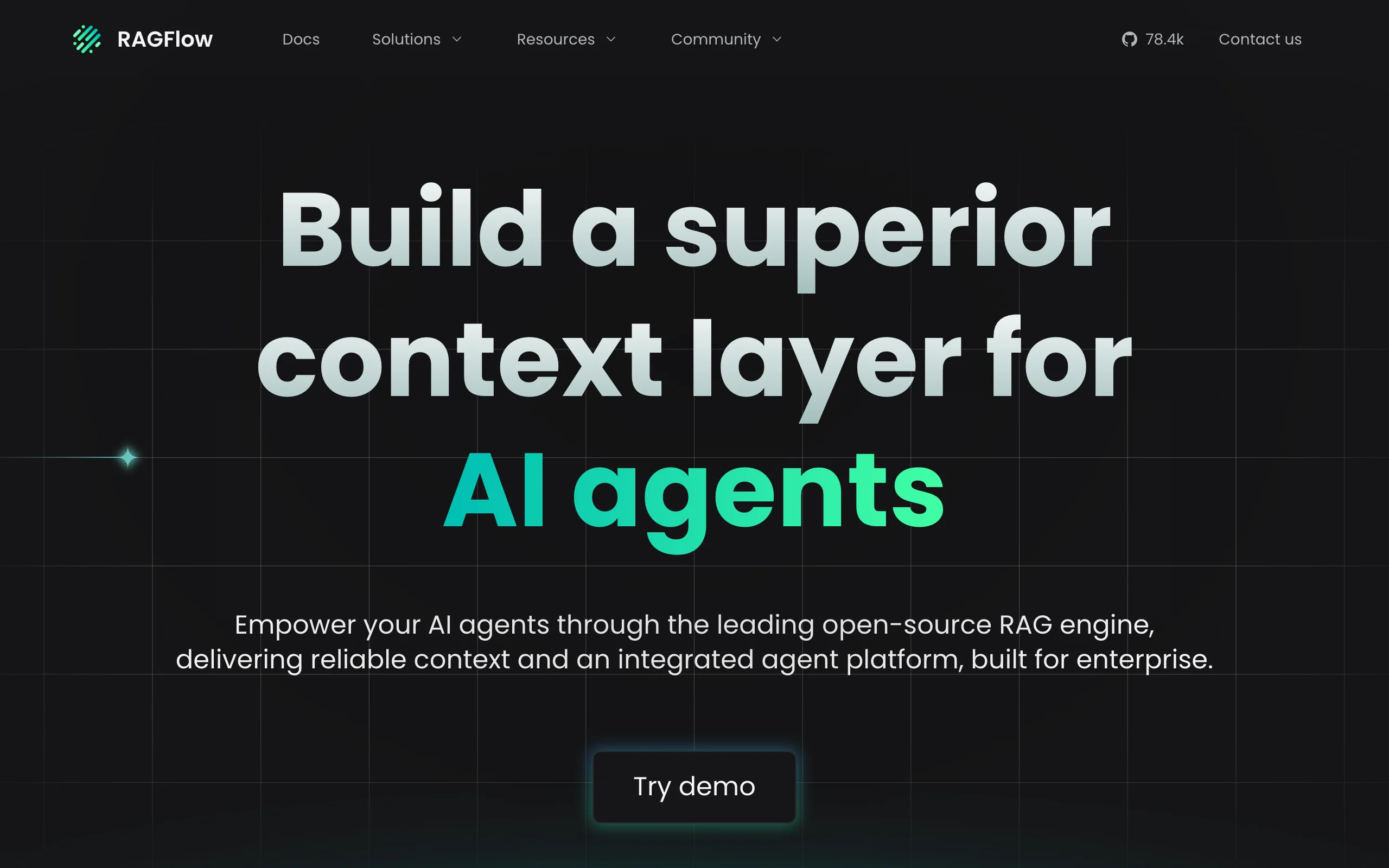
RAGFlow focuses on the hardest part of retrieval-augmented generation in practice: documents are messy. PDFs have inconsistent formatting, tables do not parse cleanly, and most RAG implementations destroy context when they chunk text naively. RAGFlow addresses this with deep-document parsing that understands layout, tables, figures, and structured data, producing chunks that actually preserve meaning rather than slicing mid-sentence.
Its agentic retrieval layer lets you build agents that do not just fetch the top-k chunks but reason about what they need to retrieve, issue multiple queries, and combine results across documents. For enterprise teams with large internal knowledge bases, compliance documents, or technical manuals, this distinction matters significantly. It complements teams building complex RAG pipeline architecture for legal, finance, or healthcare use cases where citation accuracy is non-negotiable.
Key features
- Deep-document parsing: layout-aware chunking for PDFs, Word, Excel, and HTML
- Agentic retrieval with multi-query reasoning and cross-document synthesis
- Grounded citations: every answer links back to the exact source chunk
- Support for 12+ embedding models and vector stores (Elasticsearch, Milvus, Qdrant)
- Web UI for knowledge base management and chat testing
Best for
- Legal, finance, and compliance teams with large repositories of structured and semi-structured documents
- Enterprises where citation accuracy and source attribution are regulatory requirements
- Teams replacing keyword search on internal document stores with AI-native retrieval
Pricing
- Free and open-source under Apache 2.0; self-hosted with no usage fees
- Enterprise: custom pricing with dedicated support, SLA, and private deployment
Pros
- Layout-aware chunking solves the table and figure parsing problem that trips up most RAG implementations
- Grounded citations make answers verifiable and auditable without manual post-processing
- Actively maintained: 91,332 GitHub stars as of September 26, 2026, and frequent releases with new model integrations
Cons
- Setup is more complex than simpler RAG tools: requires a running Elasticsearch or Milvus instance
- Focused narrowly on retrieval; not a general-purpose agent framework for multi-step workflows beyond document Q&A
- UI for knowledge base management is functional but not polished for non-technical end users
11. Langflow, best for no-code agent prototyping
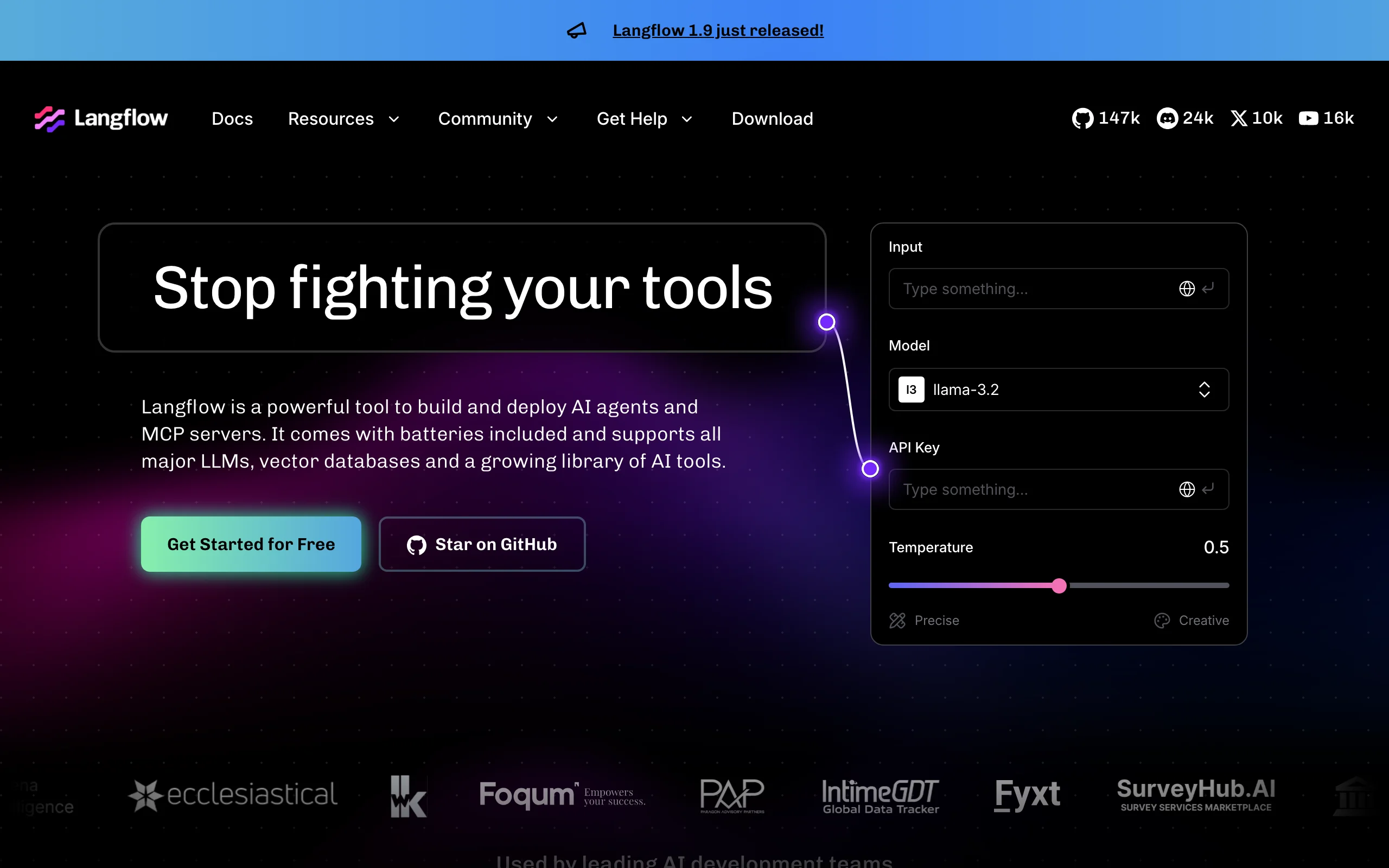
Langflow brings a drag-and-drop visual interface to LangChain, letting you build agents, RAG pipelines, and multi-step chains by connecting nodes on a canvas. Every component in the LangChain ecosystem, prompts, models, retrievers, tools, memory stores, is available as a node. When you are satisfied with the visual design, Langflow exports it as a Python script or exposes it as a REST API endpoint.
The practical value is faster iteration: a product manager or ML engineer who is not deep in Python can prototype a complete agent in an afternoon, validate it with real inputs, and hand the exported code to a developer for productionization. For teams doing early-stage AI exploration before committing to custom workflow automation, Langflow reduces the feedback cycle from days to hours.
Key features
- Visual canvas builder with 50+ pre-built LangChain components
- Export to Python code or deploy as REST API directly from the UI
- Multi-agent support with agent-to-agent communication nodes
- Built-in playground for testing inputs and outputs within the canvas
- Hosted on DataStax Astra (managed cloud option) or self-hosted via Docker
Best for
- Product and ML teams prototyping AI features before investing in full engineering effort
- Technical users who want to test LangChain configurations visually before writing production code
- Teams evaluating AI workshops or upskilling programs where visual tooling lowers the learning curve
Pricing
- Free and open-source under MIT license; self-hosted with no usage fees
- DataStax Astra Cloud: pay-as-you-go from $0.15 per credit; free starter tier available
- Enterprise: custom pricing through DataStax
Pros
- Fastest path from idea to testable agent without writing code
- One-click export to Python means visual prototypes can graduate to production code
- 155,275 GitHub stars (checked September 26, 2026) reflect a large, active community with plentiful component contributions
Cons
- Visual abstractions hide important configuration details that matter in production (chunking strategy, retrieval parameters, error handling)
- Exported Python code is readable but often needs refactoring for production readiness
- Large complex workflows become difficult to navigate on the canvas as node count grows
12. AutoGen, best for teams maintaining existing AutoGen projects
Status check (September 26, 2026): the AutoGen GitHub README now marks the project as in maintenance mode. It will not receive new features, it is community managed going forward, and Microsoft tells new users to start with Microsoft Agent Framework (number 8 above), with a migration guide for existing code. The latest AutoGen release on GitHub is python-v0.7.5 from September 30, 2025. We kept it on the list because existing systems still run on it, but we moved it to the bottom.
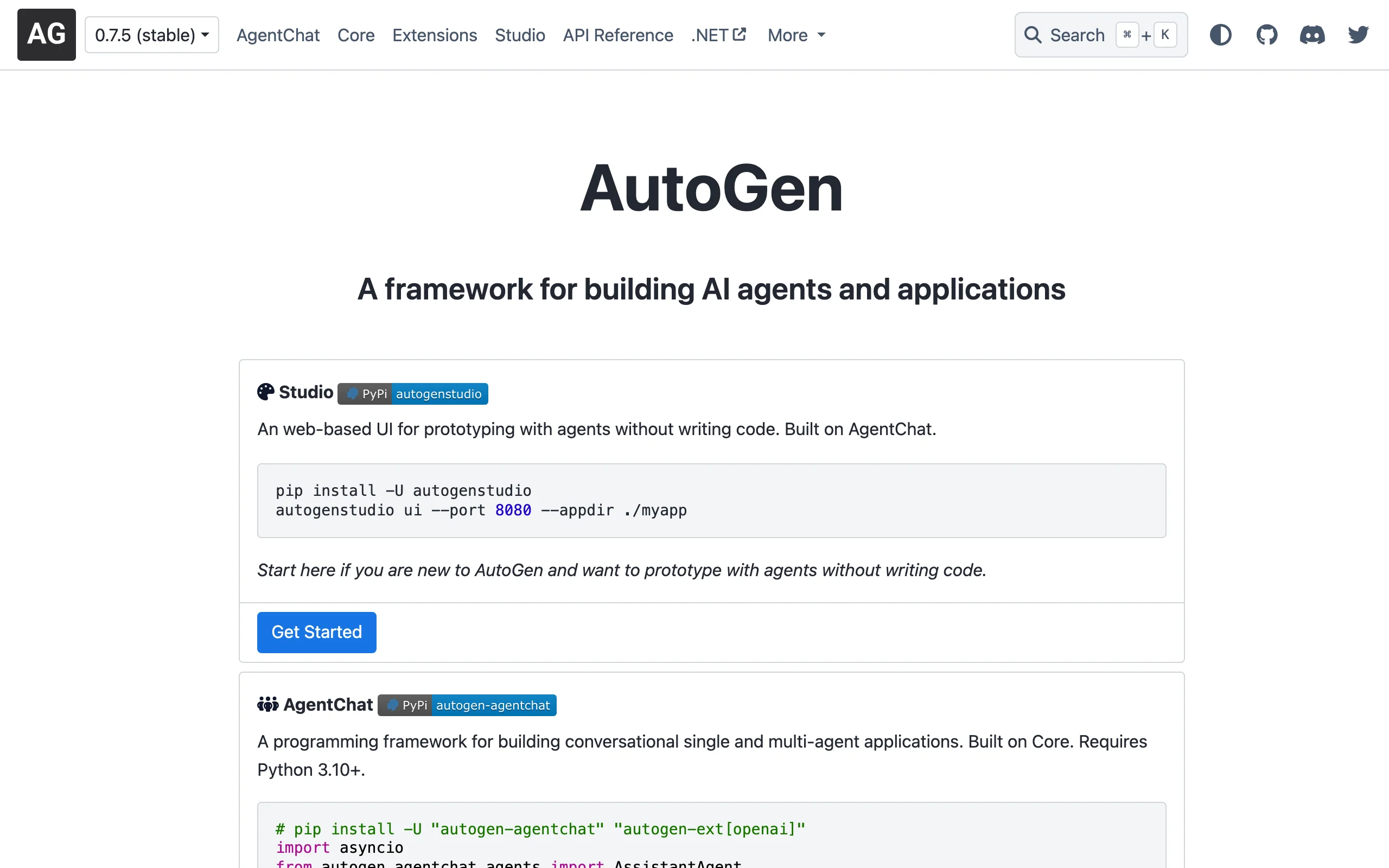
AutoGen is Microsoft Research's entry into the agentic framework space, and it shows in the architecture: the framework is designed around conversational multi-agent systems where agents communicate with each other using natural language. An orchestrator agent assigns tasks, specialist agents execute them, and a critic agent checks outputs before they pass downstream.
What makes AutoGen compelling for enterprise teams is the Azure integration depth. If you are already running Azure OpenAI Service, Azure Cognitive Search, or Azure Functions, AutoGen slots in with minimal friction. The framework also ships with an AutoGen Studio visual builder for creating and testing multi-agent conversations without writing Python, which lowers the barrier for non-engineers to prototype. Teams evaluating AI strategy consulting often look to AutoGen when their existing Microsoft ecosystem is a hard constraint.
Key features
- Conversational multi-agent architecture with configurable agent roles
- AutoGen Studio: visual web interface for building and testing agent workflows
- Code execution sandbox for agents that write and run Python
- Native Azure OpenAI Service and Azure Functions integration
- AssistantAgent and UserProxyAgent abstractions for human-in-the-loop workflows
Best for
- Teams with existing AutoGen code in production that need time before migrating
- Research teams exploring multi-agent coordination paradigms
- Teams that need a visual agent builder without writing all configuration in code
Pricing
- Free and open-source under MIT license
- Compute costs billed through your Azure OpenAI or other LLM provider account
Pros
- Research-grade documentation with published benchmarks on task completion quality
- AutoGen Studio significantly reduces time to first working prototype for less technical users
- Code execution sandbox lets agents write and test code autonomously in a safe environment
Cons
- Tightly coupled to the conversational paradigm; workflows that are not naturally dialogue-shaped require workarounds
- Azure-first design means some integrations are awkward on non-Microsoft infrastructure
- Production deployment patterns are less documented than research use cases
- Maintenance mode means no new features; new projects should start on Microsoft Agent Framework instead
How to choose the best open-source AI agent framework
Which framework fits your situation
LangGraph
CrewAI
OpenAI Agents SDK
Pydantic AI
Google ADK
Microsoft Agent Framework
OpenClaw
Dify or Langflow
RAGFlow
1) Start with your workflow shape, not the framework's star count
Different frameworks are optimized for different execution models. If your workflow is linear (input to agent to output), any framework works. If your workflow branches, loops, waits for external approval, or recovers from partial failures, you need a framework built for that.
- If your workflow is a multi-step sequence with defined roles: start with CrewAI for readable orchestration
- If your workflow branches based on intermediate results or needs human approval gates: use LangGraph for its checkpointing and conditional edge model
- If your workflow is primarily document retrieval with synthesis: RAGFlow is purpose-built for this
- If you need a visual builder with the ability to export to code: Langflow is the fastest path to a working prototype
- If you want the fewest concepts to learn and tracing on day one: the OpenAI Agents SDK
- If you want every agent run to return typed, validated data: Pydantic AI
2) Decide how much of the stack you want to own
Self-hosting gives you data control and eliminates per-token overhead on orchestration, but it shifts infrastructure management to your team. Cloud-managed options trade that control for faster setup and no ops burden.
- If data residency is a hard requirement (regulated industries, sensitive internal data): OpenClaw or Dify self-hosted are the strongest options
- If you want zero infrastructure management: Dify Cloud, LangGraph Cloud (via LangSmith), or Langflow on DataStax give you managed options with free tiers
- If you are already on Azure and want to minimize vendor count: Microsoft Agent Framework with Azure OpenAI or Foundry reduces integration friction
- If you deploy on Google Cloud: Google ADK ships deploy paths for Cloud Run and Vertex AI Agent Engine
3) Match the framework to your team's technical depth
No-code visual builders accelerate prototyping but introduce abstraction that complicates debugging in production. Code-first frameworks give engineers full control but require deeper Python familiarity.
- For teams with strong Python engineers who value control: LangGraph or CrewAI in code-first mode
- For teams mixing technical and non-technical contributors: Dify or Langflow for the visual layer, with engineers handling edge cases in code
- For enterprise Microsoft environments: Microsoft Agent Framework, AutoGen's successor, supports both Python and .NET with the same concepts, which suits mixed teams already in that ecosystem
4) Think about production requirements before you prototype
Many teams pick a framework based on how fast they can get a demo running, then discover it cannot handle their production requirements: multi-tenancy, audit logging, rate limiting, persistent memory across sessions, or compliance reporting. Evaluate these requirements upfront.
- For agents that must cite sources and produce auditable outputs: RAGFlow or LangGraph with persistent state
- For agents that need to run across thousands of concurrent users with cost controls: Dify's model routing and Langflow's API layer both support this, but architecture decisions matter
- For teams that need ongoing support, custom integrations, or want a production-ready agent built and maintained: working with an AI agent development partner can be faster than building the operations layer in-house
- For teams that would rather skip the framework bake-off and embed someone who already ships in CrewAI, LangGraph, and AutoGen daily: hire an AI engineer through a vetted placement service and get a builder inside your team in days instead of months
If you are evaluating these frameworks and need help architecting a production system, or want a custom agent built around your specific workflows and data, AY Automate's custom workflow automation team specializes in agentic system design and deployment. Book a free discovery call to map out the right stack for your use case.
FAQ
What is an open-source AI agent framework?
An open-source AI agent framework is a library or platform that provides the building blocks for creating autonomous AI systems: tool-calling, memory, multi-step reasoning, and orchestration. "Open-source" means the source code is publicly available, you can self-host it, and you are not tied to a proprietary vendor's API pricing. Frameworks like CrewAI, LangGraph, and AutoGen give you these primitives so you can build agents without implementing orchestration logic from scratch.
What is the difference between CrewAI and LangGraph?
CrewAI uses a role-based metaphor where agents have assigned roles, goals, and tools, and the framework handles coordination between them. It is easier to get started with and reads naturally for non-engineers. LangGraph models your agent as a directed graph with conditional transitions, loops, and checkpointed state. It gives you more control over execution flow and is better suited to agents with complex branching logic or those that need to pause and resume across sessions. Start with CrewAI for straightforward multi-agent tasks and use LangGraph when your workflow has branches, error recovery paths, or human-in-the-loop gates.
Which open-source AI agent framework has the most GitHub stars?
As of September 26, 2026, OpenClaw leads this list with 390,572 GitHub stars, followed by Dify at 157,267 and Langflow at 155,275. Among code-first libraries, CrewAI has the most at 59,059. Stars measure attention, not production fit, so weigh them after workflow shape, license terms and release activity.
Is AutoGen still maintained?
AutoGen is in maintenance mode. Its GitHub README says it will not receive new features, is community managed going forward, and that new users should start with Microsoft Agent Framework, its successor. Existing AutoGen projects still run, and Microsoft publishes a migration guide for moving that code to Agent Framework.
What is the difference between the OpenAI Agents SDK and LangGraph?
The OpenAI Agents SDK gives you a small set of primitives: agents, tools, handoffs, guardrails, sessions and built-in tracing. LangGraph makes you model the workflow as an explicit graph with checkpointed state. Pick the Agents SDK for quick delegation between agents, and LangGraph when you need precise branching and resume-after-failure.
Which open-source agent frameworks are free for commercial use?
All twelve are free to use. Eleven ship their code under MIT or Apache 2.0 according to their GitHub repositories. Dify is the exception: its modified Apache 2.0 license requires a commercial license to run a multi-tenant service or to remove Dify branding from its frontend. Check that before building a SaaS product on it.
Can I use these frameworks with any LLM, not just OpenAI?
Yes. All twelve frameworks in this list support multiple model providers. OpenClaw, Dify, and Langflow work with local models via Ollama (Llama, Mistral, Gemma). CrewAI and LangGraph support any OpenAI-compatible API. AutoGen is Azure-native but can be configured for other providers. RAGFlow supports 12+ embedding models for its retrieval layer. The OpenAI Agents SDK README lists support for 100+ LLMs beyond OpenAI's own APIs, Google ADK describes itself as model-agnostic even though it is optimized for Gemini, and Pydantic AI treats every model as a one-string swap. None of them require you to use OpenAI.
Is there a free open-source AI agent framework I can use in production?
All twelve frameworks listed here are free to use and self-host. Self-hosting them eliminates usage fees entirely. You pay only for the LLM API calls your agents make (or nothing if you run local models). The trade-off is infrastructure management: you need a server, Docker, and in some cases a running database (PostgreSQL, Redis, or a vector store) to operate them at scale. Dify Cloud, LangSmith, and DataStax Astra offer managed cloud versions with free tiers if you want to avoid self-hosting.
Which framework is best for building a customer-facing AI chatbot?
Dify is the fastest path to a production customer-facing chatbot: it includes a chat widget you can embed, a RAG pipeline for connecting your knowledge base, and a REST API for custom frontends. OpenClaw is strong if you need the bot connected to messaging apps like WhatsApp or Slack out of the box. For highly customized chatbots with complex multi-step conversation flows, LangGraph's stateful execution model gives you the control you need to handle edge cases reliably.
What is the difference between RAGFlow and a standard RAG implementation?
Standard RAG implementations chunk documents by fixed token count, embed those chunks, and retrieve the top-k by similarity. This works for clean, well-formatted text but fails on real enterprise documents with tables, figures, multi-column layouts, and inconsistent formatting. RAGFlow uses layout-aware parsing that understands document structure before chunking, preserving the semantic meaning of tables and figures. Its agentic retrieval layer also issues multiple queries and synthesizes across documents rather than just returning the top-k from a single query. The result is significantly higher answer quality on complex document corpora.
Should I build my own AI agent system or use an existing framework?
For most teams, starting with an existing open-source framework is the right move. Building a production-grade agent orchestration layer from scratch (tool-calling, memory, error recovery, checkpointing, observability) takes months of engineering. Frameworks like CrewAI or LangGraph give you those primitives in days. The case for custom-built systems is narrow: you have highly specialized orchestration requirements that existing frameworks cannot accommodate, or you need performance and cost characteristics that require low-level control. An AI strategy consulting engagement can help you make that call before committing engineering resources.
Do I need to hire an AI engineer to deploy these frameworks, or can my existing team handle it?
Your existing team can absolutely run the prototypes. Most of these frameworks have a quickstart that takes under an hour. The gap shows up at the production line: evaluation harnesses, prompt versioning, tool sandboxes, retrieval tuning, and on-call playbooks for non-deterministic systems are not skills most full-stack engineers have built before. If your roadmap depends on shipping a real agent into production this quarter, hire AI-native engineers who have already taken CrewAI or LangGraph builds from prototype to live customers. They cut months off the learning curve and bring the operations playbook with them.
Which AI agent framework is best for enterprise-scale workloads?
Microsoft Agent Framework (with Azure OpenAI or Foundry) and Dify Enterprise are the strongest choices for enterprise-scale deployments with SSO, audit logging, and SLA requirements. LangGraph with LangSmith provides enterprise-grade observability and tracing for teams that need production monitoring on complex agent workflows. For heavily regulated industries where all data must stay on-premise, OpenClaw and RAGFlow self-hosted are the most defensible options. If you need help designing and deploying an automation maintenance support layer around whichever framework you choose, an experienced team can reduce time to production significantly.
Is OpenClaw production-ready?
OpenClaw is open-source and self-hostable, and many teams are running it in internal production environments. Its integration library for messaging apps and productivity tools is well-maintained. However, the managed cloud offering is still in development, and some community-contributed connectors have inconsistent quality. For mission-critical deployments, plan to audit the specific integrations you rely on and allocate engineering time for maintenance as the project evolves. The foundation governance structure (post-creator joining OpenAI) is a positive signal for long-term stability.
Can these frameworks be combined with n8n or Make for workflow automation?
Yes. LangGraph, CrewAI, and Dify all expose REST API endpoints that n8n and Make can call as workflow steps. A common pattern is to use n8n for trigger-based event handling and routing, then call an AI agent endpoint for the intelligence layer, and return results to n8n for downstream actions. This hybrid approach lets teams use the best tool for each part of the workflow without rewriting existing automation infrastructure. For teams building this kind of hybrid stack, custom n8n automation specialists can design the integration architecture.
Continue Reading
12 Best TypeScript AI Agent Frameworks in 2026
Best TypeScript AI agent frameworks in 2026: Vercel AI SDK, Mastra, LangChain.js, LlamaIndex.TS and the official OpenAI, Claude and Google agent SDKs, 12 ranked with real tradeoffs and a use-case guide.
11 Best Python AI Agent Frameworks in 2026
Best Python AI agent frameworks in 2026: LangGraph, LangChain, CrewAI, LlamaIndex, Pydantic AI, and Google ADK ranked with pros, cons, and a pick-your-use-case guide.
12 Best Multi-Agent Frameworks for Production in 2026
LangGraph is the best multi-agent framework for production in 2026. CrewAI is the fastest path to a role-based crew, and Microsoft Agent Framework is the successor to AutoGen for Azure teams. Twelve frameworks, real tradeoffs.
Book a Free Strategy Call
Building this in production?
Walid runs a 30-min call to map your AI engineering team. Free, no slides.
Free weekly brief
Steal our production automations
The exact n8n flows, Claude Code setups, and prompts we ship for clients, broken down step by step. No spam, unsubscribe anytime.

Taha builds and ships custom AI agents and workflow automations for AY Automate clients across SaaS, finance, and professional services.